Less on your mind.More done.
Hobba is the task app that clears your head: Inbox, Today, Upcoming — and projects that turn into a kanban board when you want them to. No account. No subscription. No tracking.
Download on the App Store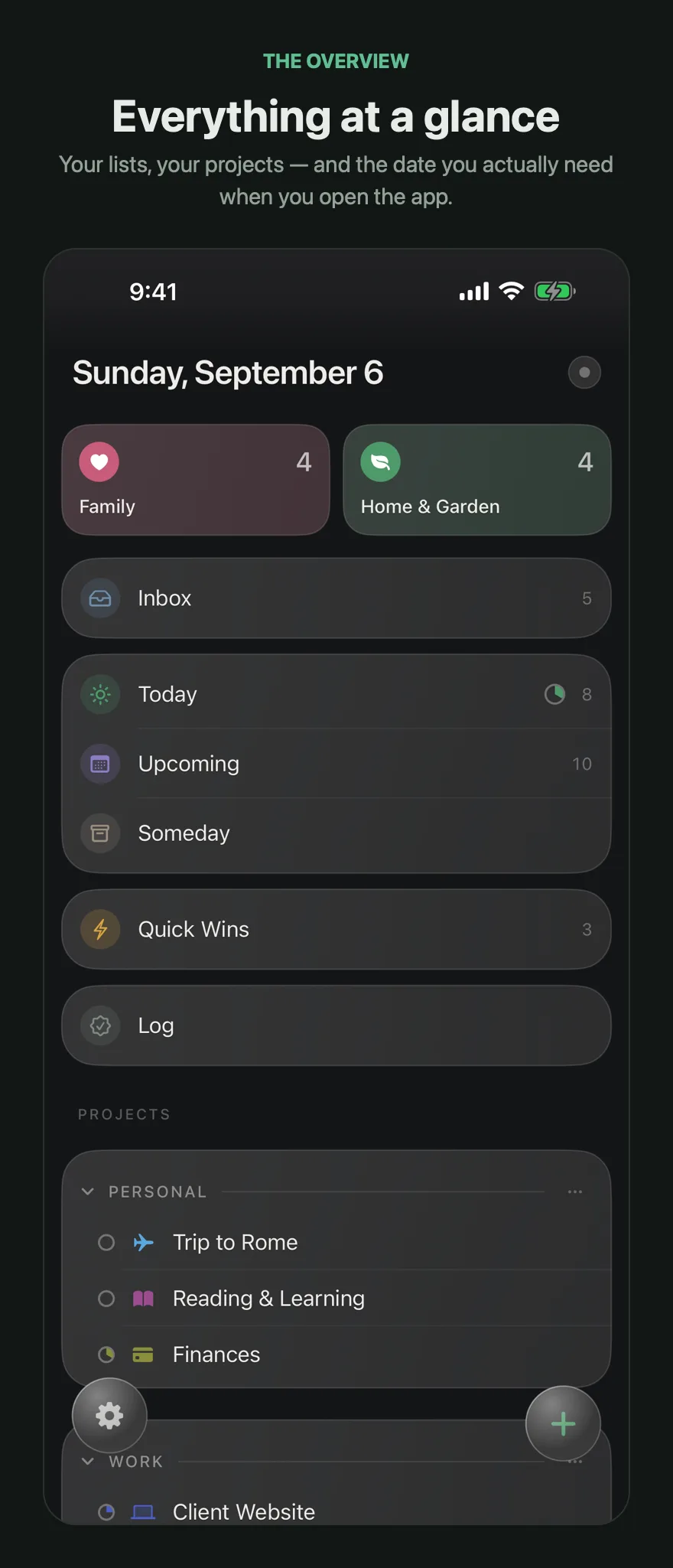
No subscription, ever.
Download for free and work with up to three projects. A single purchase unlocks everything — forever, on all your devices, with Family Sharing.
Your data belongs to you.
No account, no developer servers, no analytics. Your tasks live on your device — and, if you choose, in your private iCloud. Nowhere else. And they come back out: Hobba writes backups as a file, by hand or quietly in the background.
One purchase, everywhere.
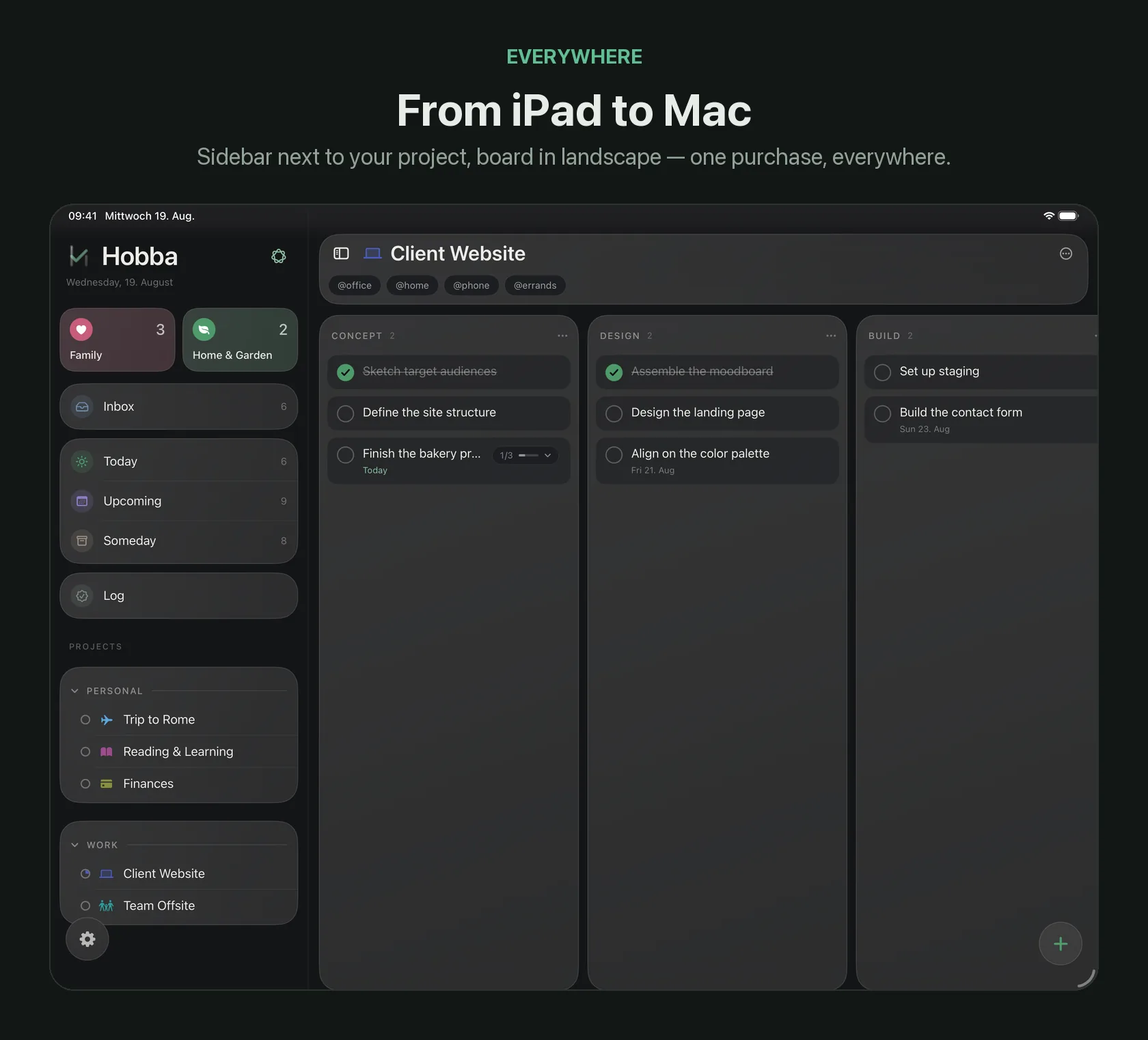
iPhone, iPad with a sidebar, a real Mac app and a standalone Apple Watch app with a complication — all included in one purchase.
Too much for today? Pick three.
If more open tasks sit in “Today” than you set out to do, the list quietly asks once a day — nothing in red, no counter. “Pick three”: what you mark stays, the rest moves to tomorrow. An overloaded day is why you look away; the question comes before you do. You set the threshold yourself.
- Pick three
- Rest to tomorrow
- Once a day
- Your threshold
One task. Nothing else.
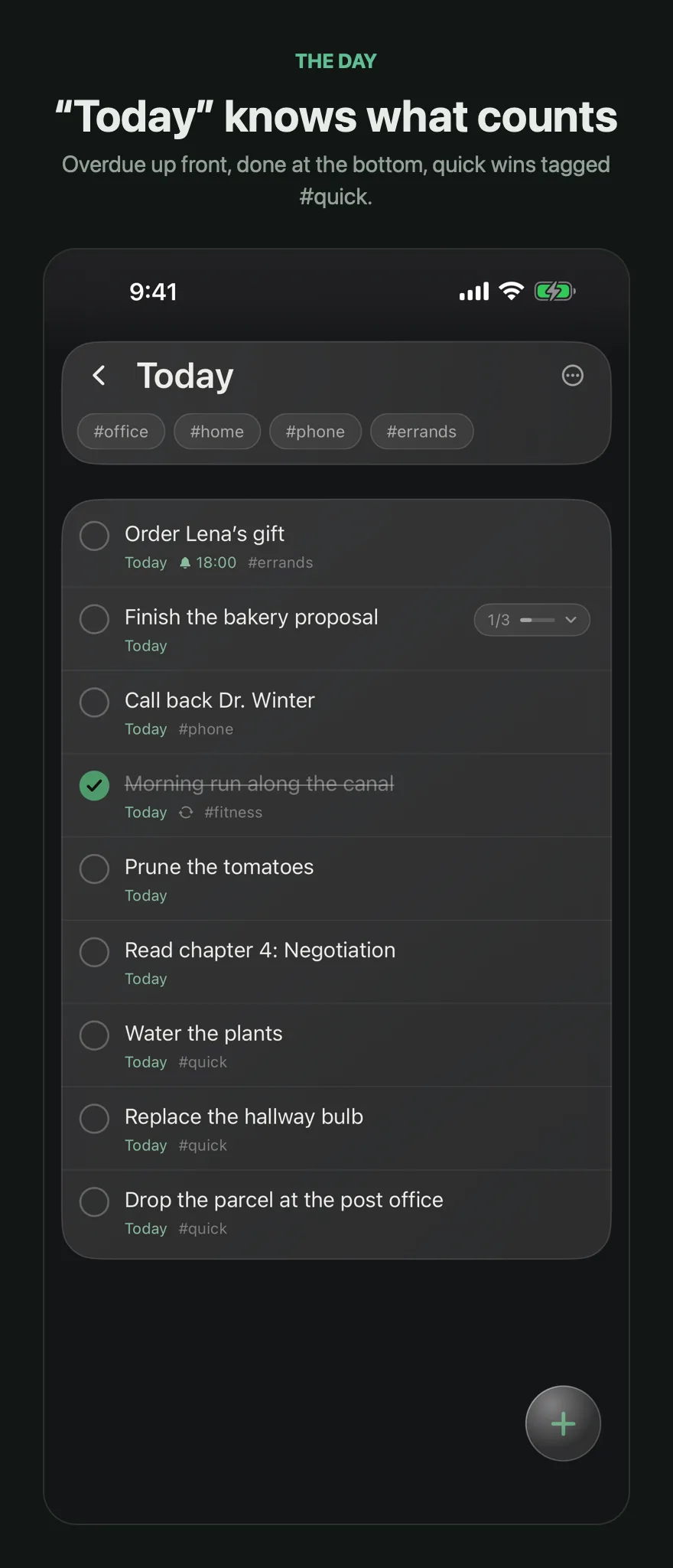
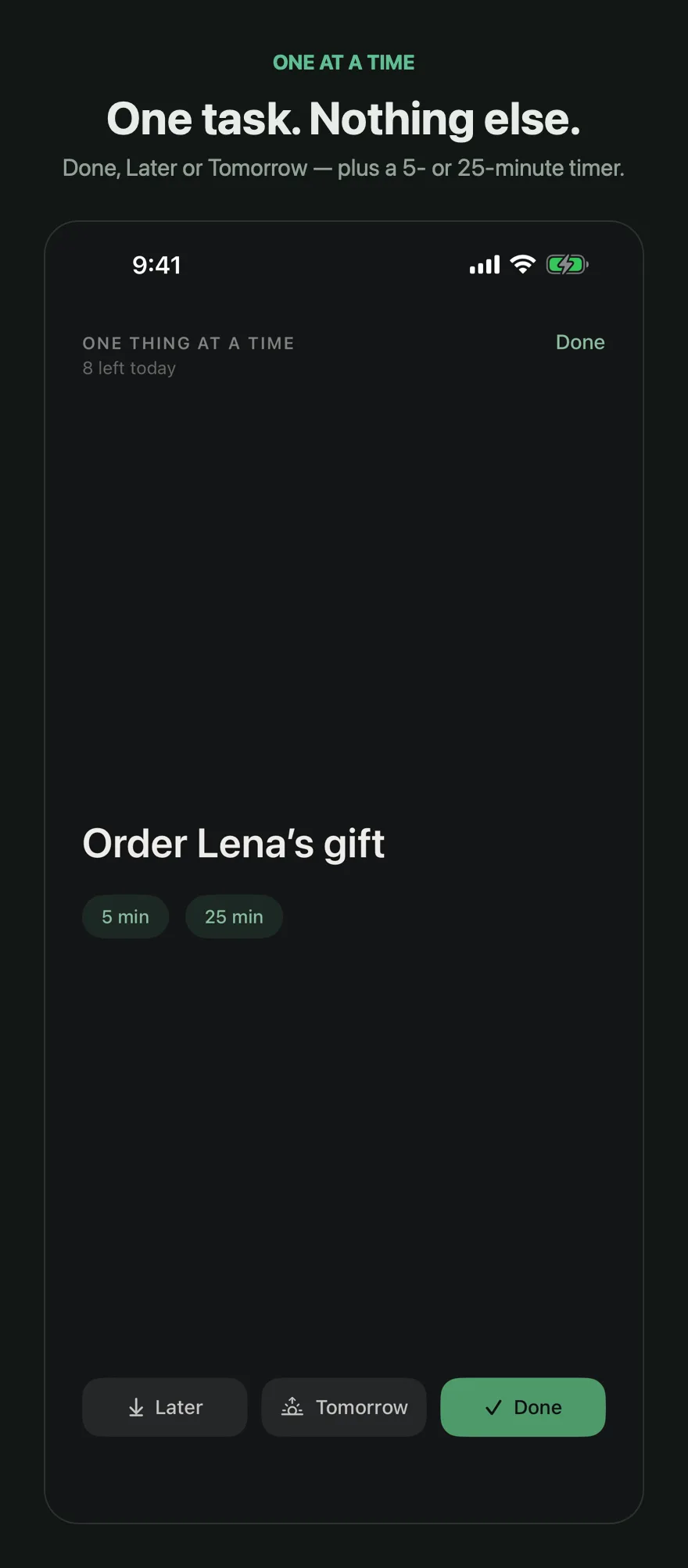
Exactly one task from “Today”, large — the next one. Done, Later or Tomorrow, plus a 5- or 25-minute timer that reports back even from the background. Less list, more starting. And a task that has been sitting for days can be broken into steps by Apple Intelligence — the first one is the smallest possible start, and only what you accept is saved.
- 5 or 25 minutes
- Done
- Later
- Tomorrow
- Break into steps
Five minutes, one checkmark.
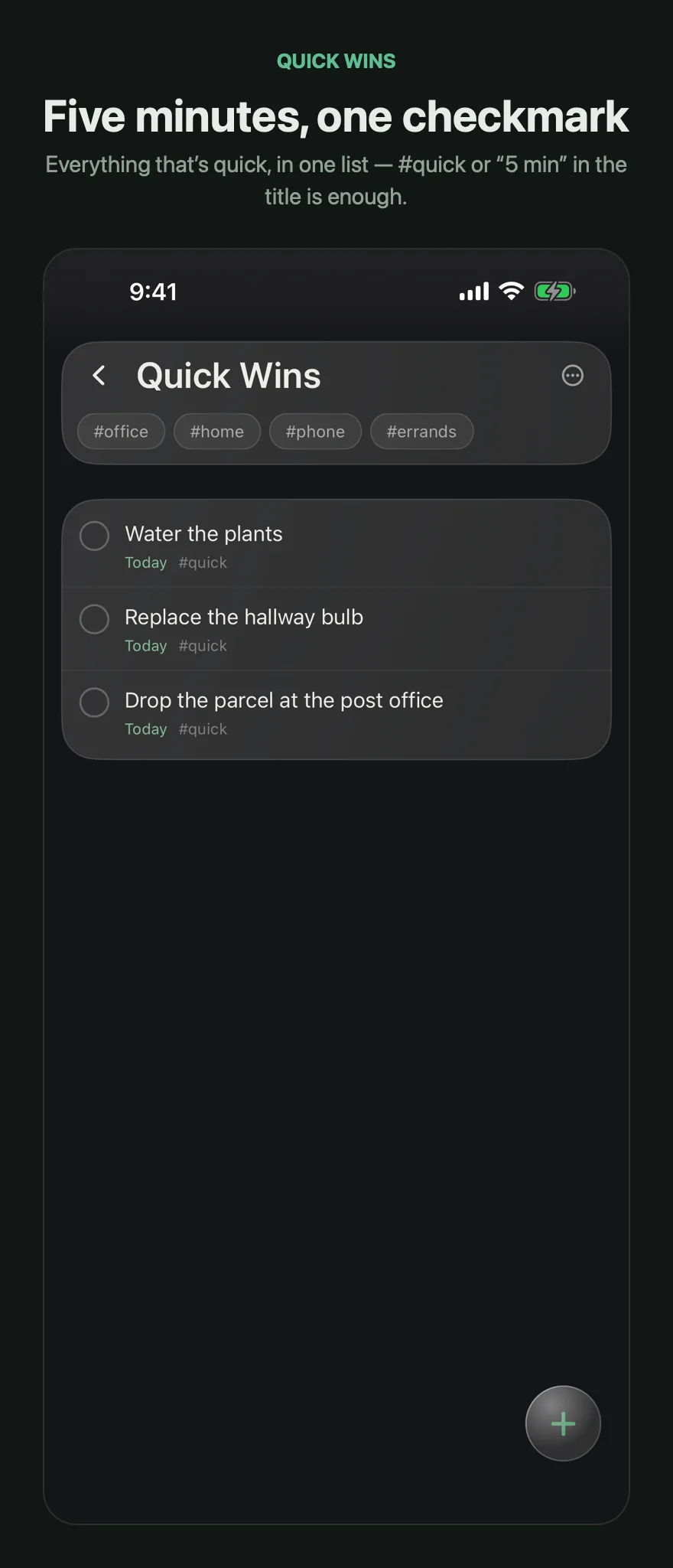
A list for everything that’s quick — for the moment you want to get something small done before touching the big thing. Tag it #quick or write “5 min” in the title; Hobba sets the tag itself. A widget shows exactly one quick win to check off, the next one moves up. And “Today” shows a ring for how much of the day is already done.
- #quick
- “5 min” in the title
- Widget
- Progress ring
The week as a board — and as a tally.
“Upcoming” can become a week grid: columns are days, with one column for everything later. Drag cards from one day to the next, select several, share — everything as on the project board. And at the end of the week, a calm card sits above the Log: done in the last seven days, in which projects, the best day, the streak. No karma, no comparison — just your own week.
- Week grid
- Drag cards
- Your week
- No karma
Reminded where and when it counts.
A reminder can arrive when you reach or leave a place — search for it, pick a radius, done. Save “Home” and “Work” once, and a sentence is enough when you create a task. Important reminders can ring as a real alarm, through the silent switch and any Focus. And a deadline speaks up on its own: on the morning of the lead day and once more on the day itself.
- At a place
- Saved places
- Ring loudly
- Deadlines speak up
Just write when.
Day, time, deadline, repeat — write it into the title. Hobba reads it out and takes it away, so the title stays clean. And when you paste ten lines from an email, Hobba asks whether that should become ten tasks — each line brings its own date. The same goes for Siri, Shortcuts and the watch. From Control Center, “New Task” opens the entry field directly, and Spotlight finds every open task.
- Dates & times
- Deadlines
- Repeats
- Paste a list
- Siri & Watch
- Control Center
- Spotlight
Everything lands where you drag it.
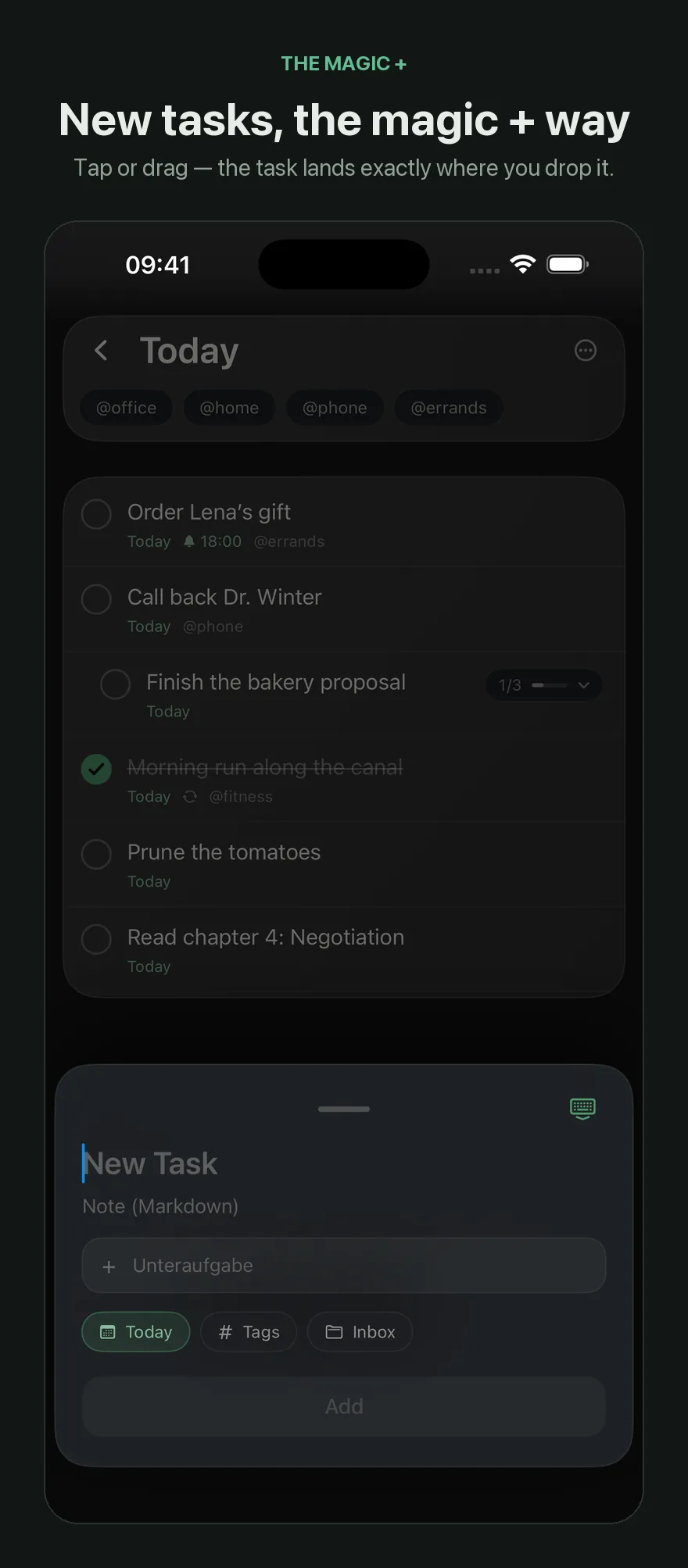
The “+” doesn’t stay parked in the corner. You pick it up and drag it to where the new task belongs — between two rows, into a section, into a different project. It appears exactly there, not at the end of the list for you to push back up.
The same works in reverse: drag a project up and it becomes a favourite, drag it down and it goes in the bin. One gesture, three destinations, and no menu in between.
Every project can do kanban.
Flip one switch and a project list becomes a board: columns for sections, cards you drag around, dividers for fine structure. List and board show the same data — you switch the view, not the system. And a project you set up again and again you save as a template: structure, sections and tasks stay, everything time-related is left behind.
- Drag columns
- Move cards
- Templates
- Per device
From your wrist to your Mac.
On the iPad, the overview sits as a sidebar next to your project — and you drag tasks straight over into it, one or a whole selection. The Mac gets a menu bar, right-click menus and keyboard shortcuts. And the Watch shows what's still open today — checking things off and dictating included, with the count right on your watch face. Moving in takes five minutes: the import brings your lists over from Apple Reminders. And your iPhone’s Focus lets sections rest while “Personal” is on.
- iCloud sync (optional)
- Widgets
- Complications
- Siri & Shortcuts
- Focus filter
- Import from Reminders
- “Minimal” style
- Widgets in black
Buy once. Done.
Hobba runs without a subscription and without ads — because there are no server costs that would need a subscription to pay for them. Your sync runs through your own iCloud.
Free
- Inbox, Today, Upcoming, Someday
- Reminders, tags, subtasks
- iCloud sync & import from Reminders
- Up to three projects
Hobba Pro
- Unlimited projects & kanban board
- Repeating tasks & calendar events in your day
- All widgets, Watch & complications
- Colors, icons, multi-select
- Focus filter for sections & projects
Hobba is out.
One purchase, no subscription, no account, no tracking.
Download on the App Store