Using Hobba without opening it
Most tasks are not born in a task app. They arrive in an email, a photo, a conversation. There is a door for each of those.
From any app
Hobba sits in the share sheet. Text lands in your Inbox; for a photo, a PDF or a longer text, Hobba offers to read tasks out of it — recognised on your device, and only what you tap is kept.
Dictation
“Hey Siri, remind me to buy milk tomorrow.” The route goes through a list in Apple Reminders that Hobba empties — guide here.
Widgets
Today, Tasks, Today & Calendar, Week, Upcoming, Next task and Quick one. In the last one the checkbox works without opening the app.
Shortcuts
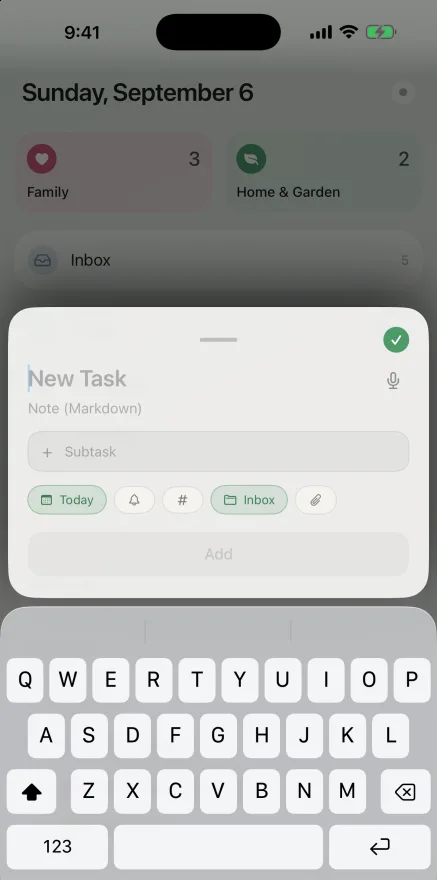
Four actions for the Shortcuts app: Add task, Capture task, Open list, Count today's tasks. A long press on the app icon goes to New task, Today, Upcoming and Search.
Addresses
Every place in Hobba has an address — usable in a note, a calendar entry, a shortcut, a script.
hobba://add | Open the entry sheet |
hobba://add?list=smart:today | … dated today right away |
hobba://add?list=project:<uuid> | … in a specific project |
hobba://list/today | Today (also inbox, upcoming, someday, log) |
hobba://list/tag/work | The context list of a tag |
hobba://project/<uuid> | A project |
hobba://task/<uuid> | A task, highlighted in its list |
hobba://search | Pull up search |
You get a project's identifier from its menu via “Copy link”.
What about email?
There is deliberately no address to mail tasks to: that would need a server accepting your post and an account with us. Two routes without any foreign server exist anyway:
- On the Mac, Apple Mail can run a rule on an
incoming message that calls
hobba://addwith the subject. - As a bridge: a script on your own machine polls a mailbox, the way the Home Assistant bridge does with your smart home. Your machine fetches, nobody knocks.
When a machine writes the list
Two ready-made guides: the Claude connector and the Home Assistant bridge, which turns an empty battery into a task and ticks it off again.
Hobba is a task app for iPhone, iPad, Mac and Apple Watch — no account, no subscription, no tracking. On the App Store since 30 August 2026: one purchase, no monthly bill.
Download on the App Store